Remote help for Samsung devices
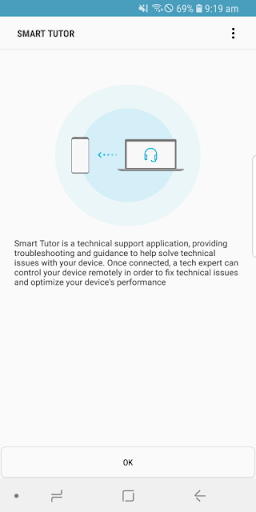
Smart Tutor for SAMSUNG Mobile lets a Samsung support specialist examine a compatible Android phone or tablet remotely. It suits people who need help with device settings, display problems, software or app updates, or understanding a feature. Rather than trying to explain every detail over the phone, you can share your screen while the specialist checks the device.
How a support session works
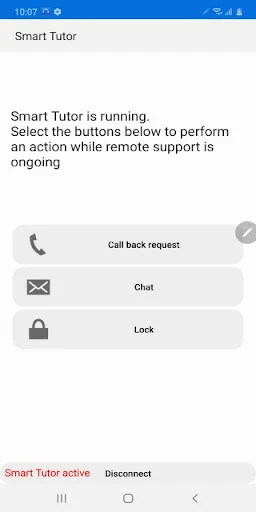
Contact Samsung’s support centre and follow its instructions to connect. A specialist provides a six-digit code; enter it in the app to start the session. You can end the connection from the app when you’re done. A mobile data connection may use your plan’s data, so Wi-Fi is an option if available.
Controls during the session
Screen sharing helps the specialist see what’s happening, while chat provides another way to communicate. Smart Tutor also includes screen-lock and application-lock controls. The app restricts access to private areas such as Gallery, Messages and email during support, giving users a way to keep those apps out of view.
Compatibility and track record
The app requires Android 6 or later, and Google Experience devices such as Galaxy Nexus are not supported. Smart Tutor is published by Samsung Electronics Co., Ltd. Its 4.4-star rating from about 75,000 reviews and 100 million-plus installs suggest it is a well-established support option for Samsung users. It is most useful when you are already in contact with Samsung support; it is not a general-purpose device-cleaning or troubleshooting tool.